

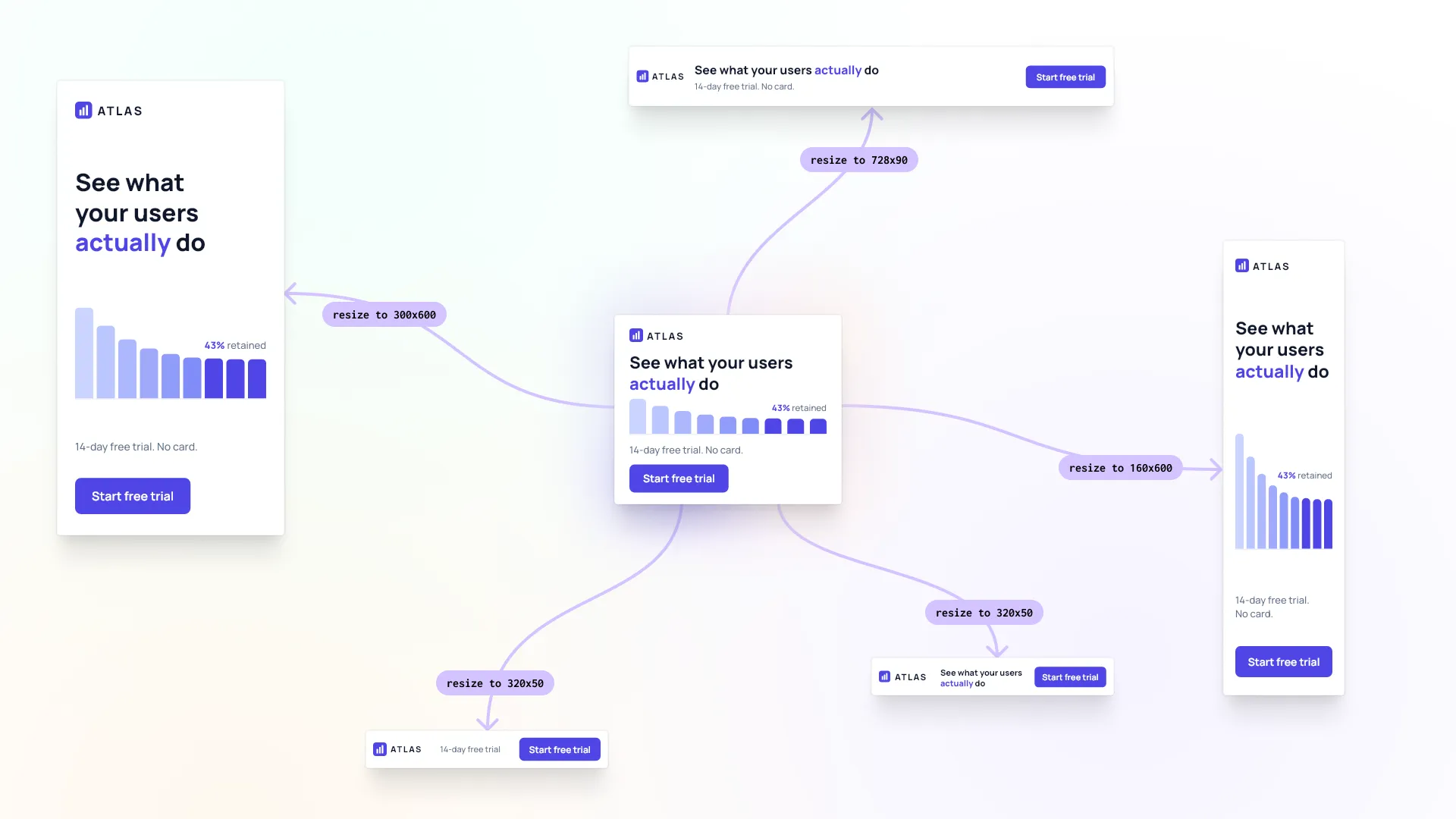
You designed a banner. The same day, you need it in five sizes, and none of them can be wrong.
We handed that job to six AI models through CoDesign MCP: take this approved design and rebuild it for five ad formats. All six came back with ads you could ship. Gemini 3.7 Flash did it for thirty cents and passed every check we wrote.
That is what CoDesign MCP is for. You point an AI assistant such as Claude at your approved design, name the formats you need, and it opens the file, rebuilds the layout for each one and exports production files. What comes back is an editable design file, not a picture of one.
Speed and price are the easy things to measure. We wanted to measure quality too, so we built an eval that runs the job automatically, opens every result and reports what passed. This is the first scenario out of that suite.
Three banners, one brief
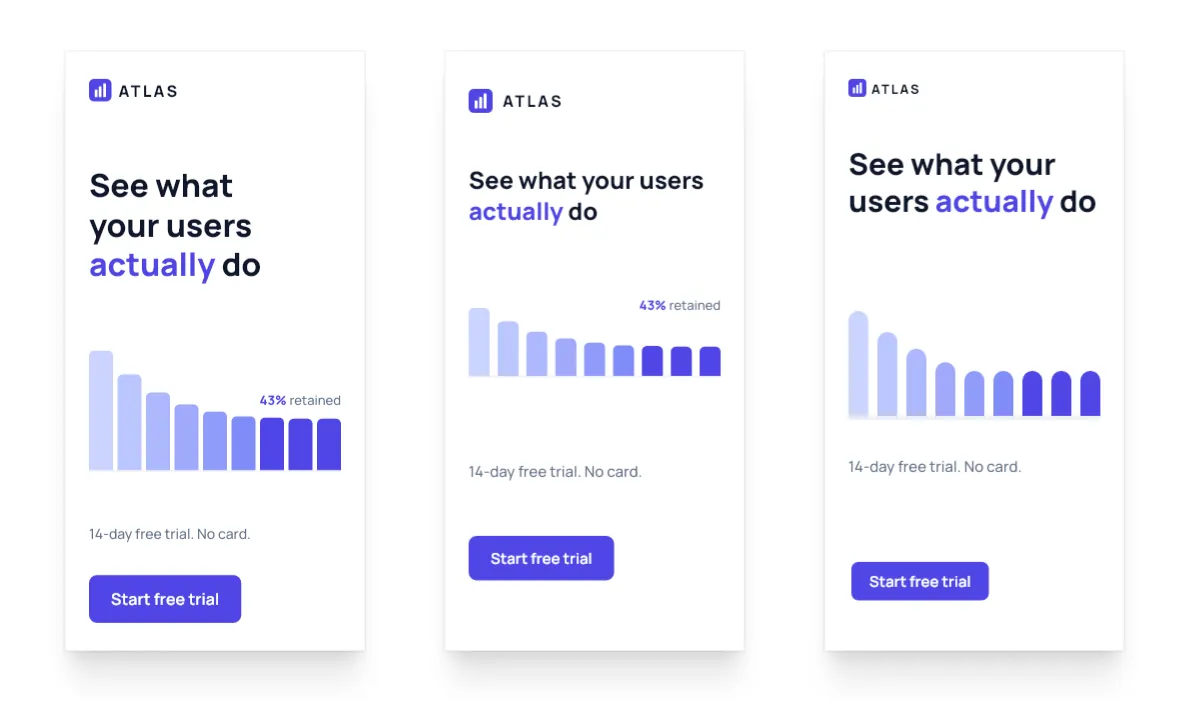
Three different models were handed the same 320×50 slot, cut from the same master creative against the same brief, and all three came back with an ad you could traffic tomorrow. Every one of them keeps the wordmark and the button, nothing is clipped, and no type is set below 11px.

The 300×250 they came from carried five things: the wordmark, the headline, a retention chart, the offer line and the button. At 320×50 the wordmark and the button survive and the chart cannot, which leaves room for exactly one line of copy, so each model had to choose between the headline and the offer.
- One dropped the headline and kept the offer, “14-day free trial”.
- One kept the headline but cut “your users” down to “users” to buy itself the line.
- One kept the headline whole across two lines and dropped the offer.
We have opinions about which of those reads best, the way any design team would. What we do not have is a way to prove one of them correct, because the choice depends on whether this campaign is selling the product or the trial, and that lives in the media brief rather than in the design. Our checks can confirm that all three are valid and that none of them are broken; they cannot tell you which one the campaign actually needed. Grading the half that has a right answer and leaving the other half to the people who own the brief is the distinction our evals are built around.
What is gradeable and what is not
The obvious thing to evaluate is the thing that demos well, prompt in and poster out, but we were more interested in the work that actually fills a designer’s week, which is mostly derivative. The design decisions were made once, at the master, and everything after that is a matter of carrying them faithfully into thirty other shapes. That is more technical work than creative work, which is exactly why it is worth handing to an agent.
Ask which of the finished designs is better and you have a question with no ground truth to appeal to, since human raters disagree with each other and LLM judges reliably prefer their own output. You could ask a lot of humans and rank the results, but that is not something you can run on every build. Wrong designs, though, are wrong in ways you can query: text sitting behind another block, content off the page, type under the legibility floor. Part of design quality is judgement and part of it is fact, and what we have built grades the second part, which means everything below is an automated result rather than a design review. A model can pass every check we wrote and still make an ugly ad.
What we are doing right now
When a model finishes a scenario, programmatic checks open the result and ask whether it is plausibly good. That starts with whether the run produced every design artifact and .imgly file at the right sizes, and the rest depends on the scenario: in a localization run we also check that the words were actually replaced.
This is a technical floor rather than a grade. LLM judges are still unreliable enough that we do not use one on output quality, because if it is hard for us as designers to say which design is more correct, it is harder for a model, and the result would be noise.
In the future we plan to experiment more with such methodologies but we also do not want to rely on the false security of an extremely noisy grading process.
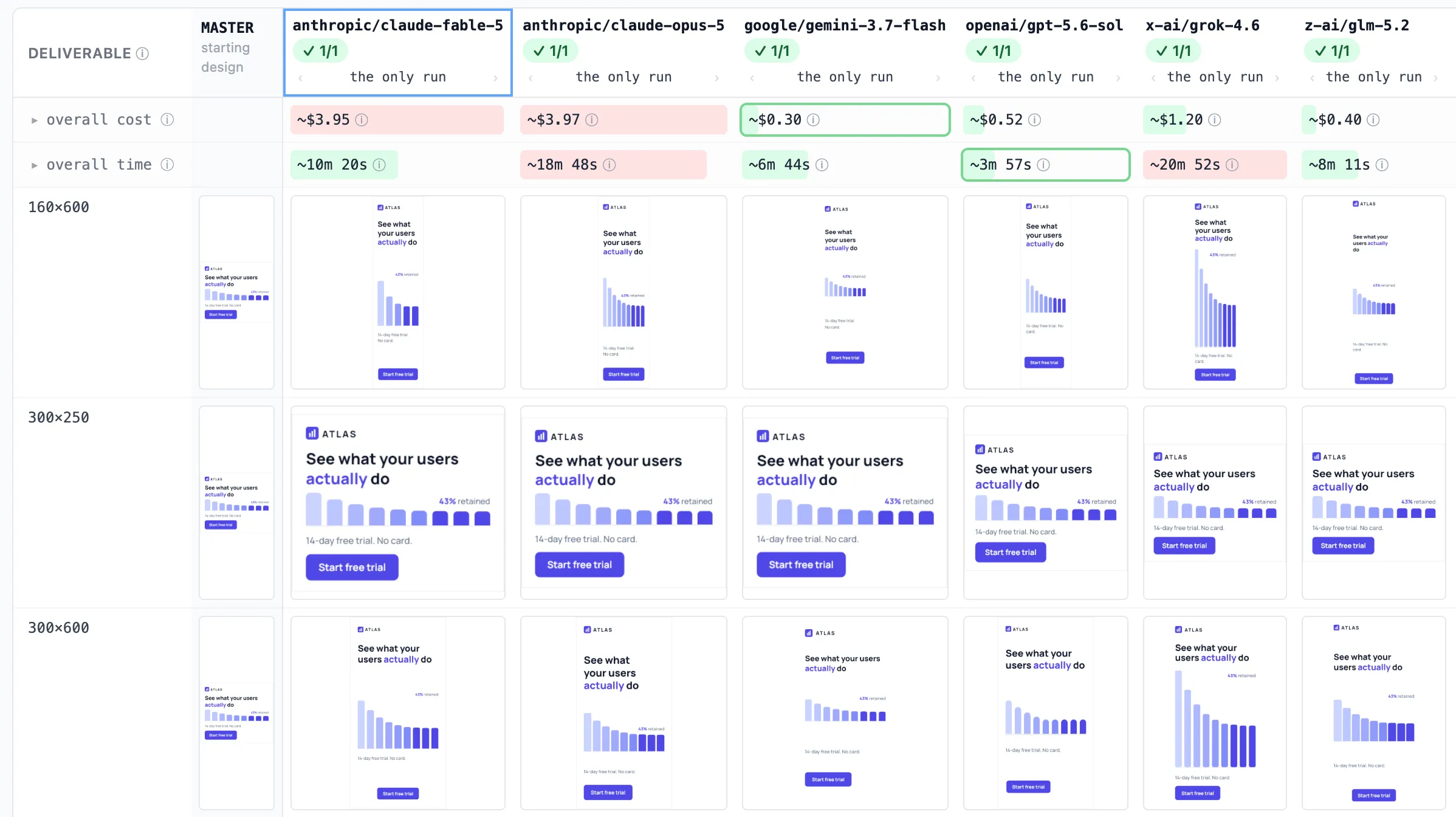
The comparison view for the display-banner matrix: cost and time sitting directly above what each model actually produced. The 1/1 counts runs, one repeat per cell, not check scores.
One master, five ad sizes
The scenario is a display campaign, because that is the version of this problem customers actually have: the same size matrix, every campaign. The master is a 300×250 MPU for ATLAS, an imaginary product-analytics SaaS running a free-trial campaign, carrying a wordmark, the headline “See what your users actually do”, a retention bar chart labelled “43% retained”, the line “14-day free trial. No card.”, and a “Start free trial” button.
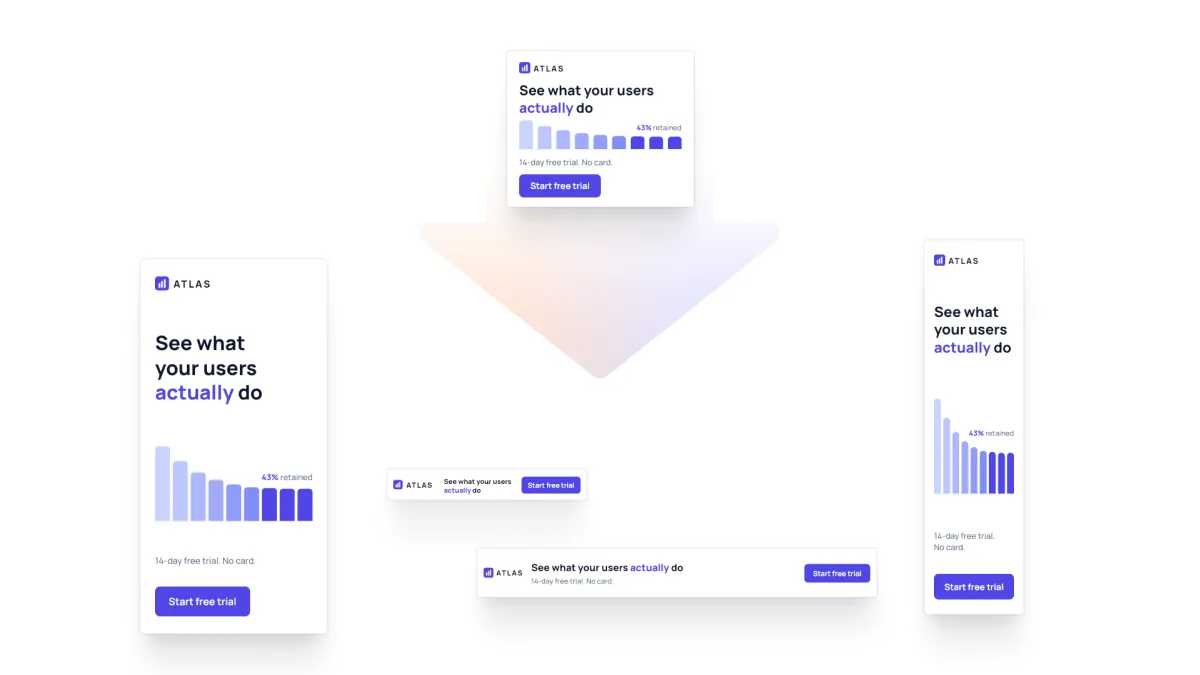
The 300×250 master at the top, and the four other sizes on the media plan cut from it. ATLAS is our own fixture, not a real customer.
The brief asks for the full matrix: 300×250, 728×90, 160×600, 300×600 and 320×50. Those sizes span a 16:1 swing in aspect ratio, so the right answer at each one is a genuinely different composition, and at some of them it means taking content out rather than shrinking it.
Ten checks grade the result and two of them do the real work. 728×90: the chart was dropped, not shrunk kills the model that squashes a bar chart into a 90-pixel strip, which satisfies every geometric constraint in the brief while being completely wrong. the five sizes are different layouts kills the model that scales one composition five ways and calls it a matrix.
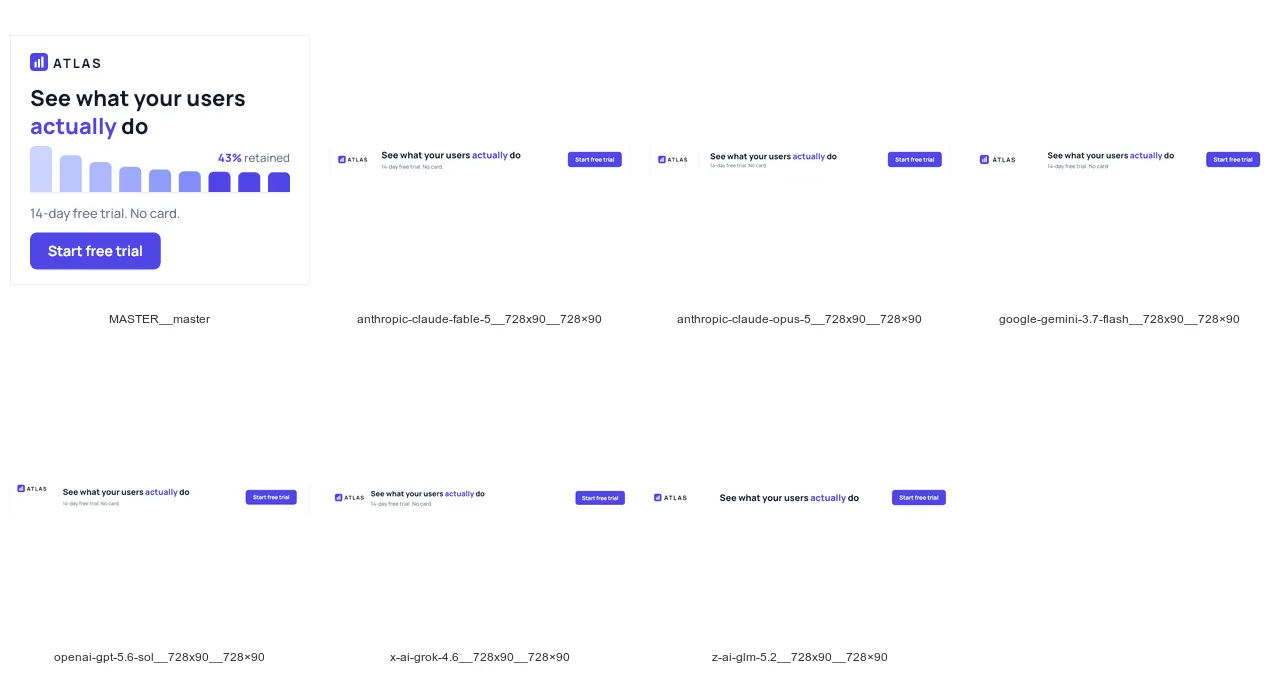
The master first, then the six 728×90 leaderboards. Every model that delivered deleted the retention chart.
Every model that delivered arrived at the same composition, wordmark left, headline across the middle, offer underneath it, button on the right and the retention chart deleted, which is six models from five different vendors reaching the same answer independently. We did not expect that, and it is still the result we find hardest to stop thinking about.
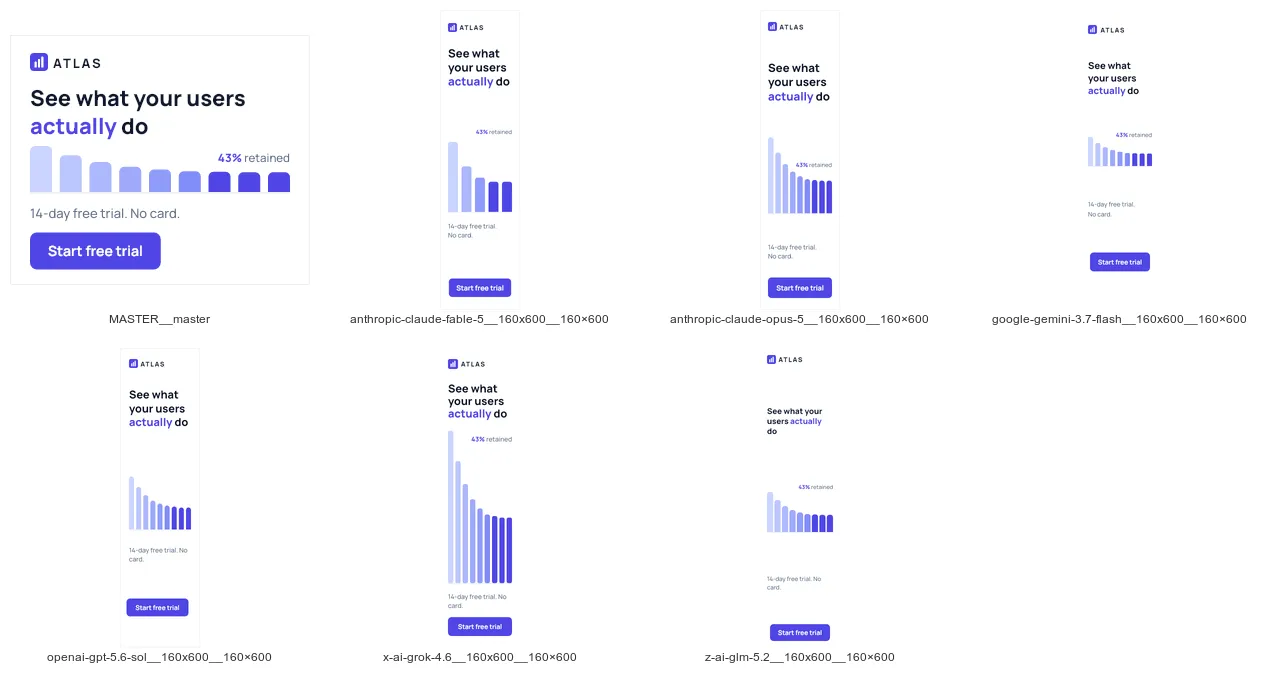
The same six at 160×600, master first. With vertical room they all kept the chart. The flat format is where the decision to drop it had to be made.
Which model is best for using with CoDesign MCP?
| # | model | checks | model spend | time | tool calls |
|---|---|---|---|---|---|
| 1 | gemini-3.7-flash | 10 / 10 | $0.30 | 6.7 min | 37 |
| 2 | glm-5.2 | 10 / 10 | $0.40 | 8.2 min | 25 |
| 3 | gpt-5.6-sol | 10 / 10 | $0.52 | 4.0 min | 35 |
| 4 | grok-4.6 | 10 / 10 | $1.20 | 20.9 min | 39 |
| 5 | claude-fable-5 | 10 / 10 | $3.95 | 10.3 min | 26 |
| 6 | claude-opus-5 | 10 / 10 | $3.97 | 18.8 min | 40 |
Running this scenario illustrates general numbers across our eval suite. The 6 models above are consistently able to follow the prompts to produce different output designs as requested in the scenario. These numbers also highlight quite the spread in model costs and time spend. What you do not see in these numbers is that glm 5.2, gpt-5.6-sol and grok 4.6 are producing suboptimal designs in our opinion. They are valid, but subjectively fable, opus and gemini 3.7 consistently across runs and across scenarios perform simply better.
The biggest surprise for us is Gemini 3.7 Flash, which produced the whole five-size matrix for $0.30 in model spend, in under seven minutes. At thirty cents a designer opens six composed variants instead of a blank artboard and takes the best one further, which changes what the tool is for.
Meanwhile there were no surprises regarding Opus 5.0 and Fable 5.0, both models perform really well - but are slow and expensive.
What does it mean for CoDesign MCP
You can now resize a master design into 5 different sizes reliably for $0.30 using Gemini 3.7 Flash and the CoDesign MCP.
If you are on a Claude Subscription plan, you might just want to continue using your Claude Code with the CoDesign MCP since it offers the best overall design quality - even if it’s slow and somewhat expensive.
We will continue to work on upgrading and improving measurements of how well CoDesign MCP works with different models, looking into other scenarios like localization (translating and changing a design for a different locality and language) as well as rebranding existing design assets.
You can install CoDesign MCP at img.ly/codesign.